

Integration Overview
Below is an overview of Partner Fleet’s integration offerings. We're continuously expanding our range, and if there’s a specific integration you’d like to see, don’t hesitate to reach out. We love collaborating with our customers and partners—let’s explore together and see how we can make it happen.
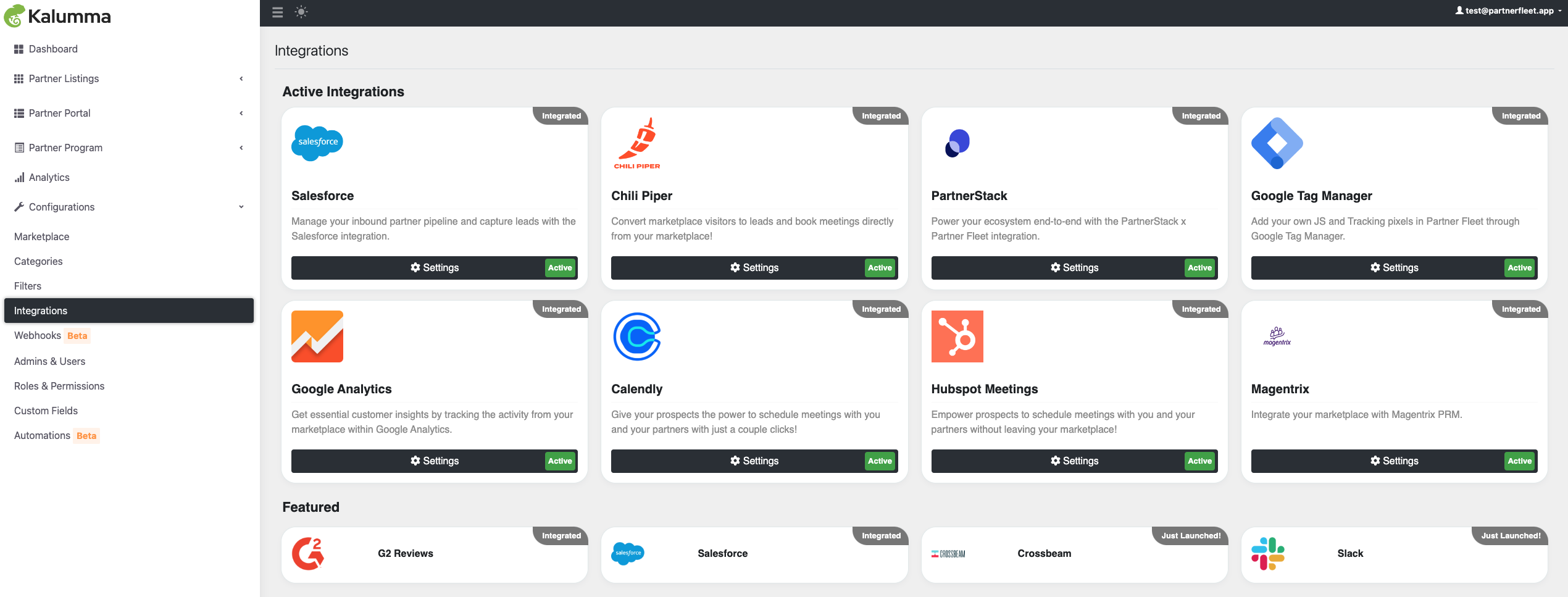
Integrations can be found Configurations -> Integrations.
See Screenshot
Calendly
Give your prospects the power to schedule meetings with you and your partners with just a couple clicks!
Description
With the Calendly integration for Partner Fleet, your visitors will be able to schedule a meeting with you or your partners after they have completed a lead form on your marketplace. This allows you and your partners to utilize your current Calendly accounts to enable the same lead capture and routing processes you already use.
How it Works
- Enable the Calendly integration in Marketplace -> Integrations.
See Screenshot
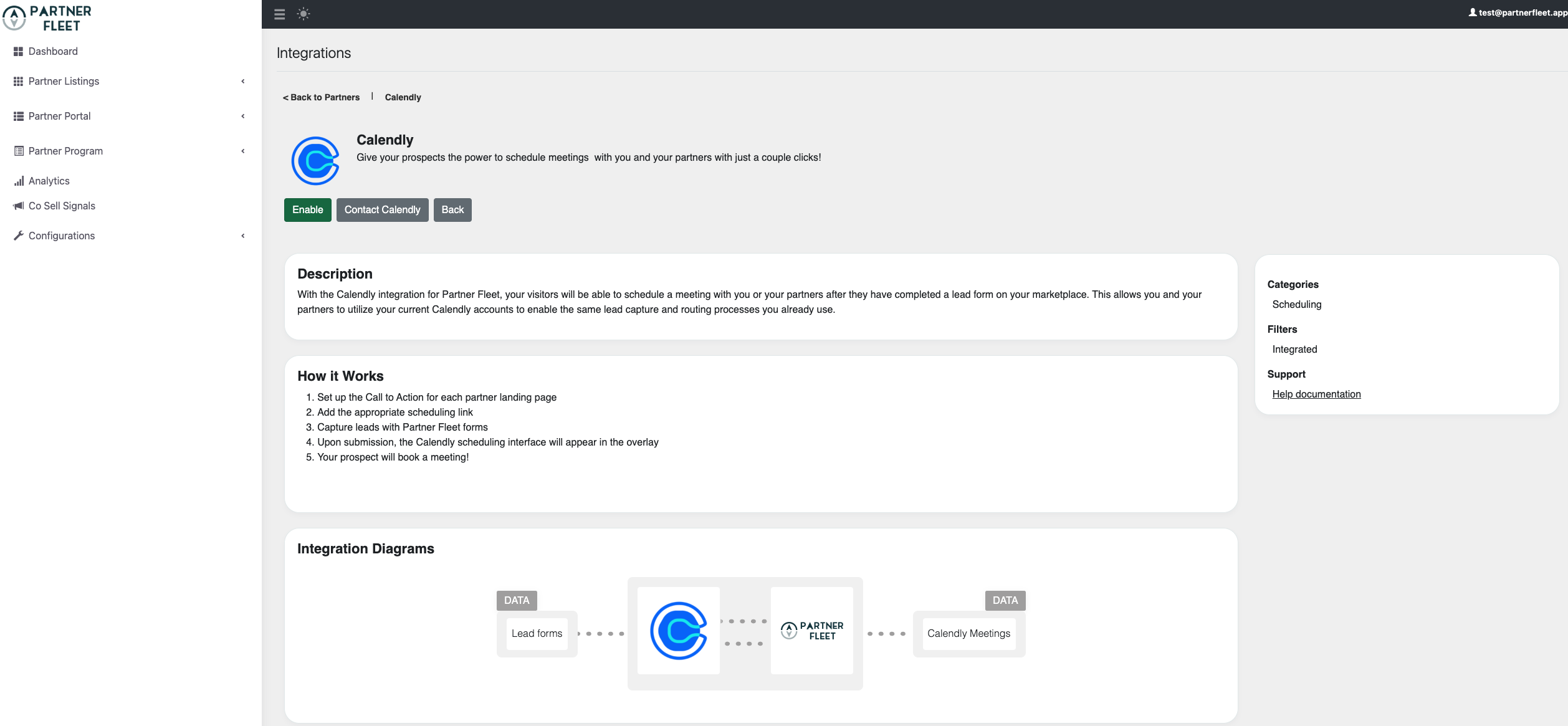
- Set up the Call to Action for each partner landing page
- Add the appropriate scheduling link
- Capture leads with Partner Fleet forms
- Upon submission, the Calendly scheduling interface will appear in the overlay
- Your prospect will book a meeting!
Chili Piper
Convert visitors to leads and book meetings directly from your marketplace!
Description
The Partner Fleet and Chili Piper integration allows mutual customers to convert leads directly from any listing on the marketplace. Partners in the marketplace can also enable their Chili Piper scheduler on their listing to capture leads and get meetings booked with customers.
How it Works
- Enable the Chili Piper integration in Marketplace -> Integrations.
See Screenshot
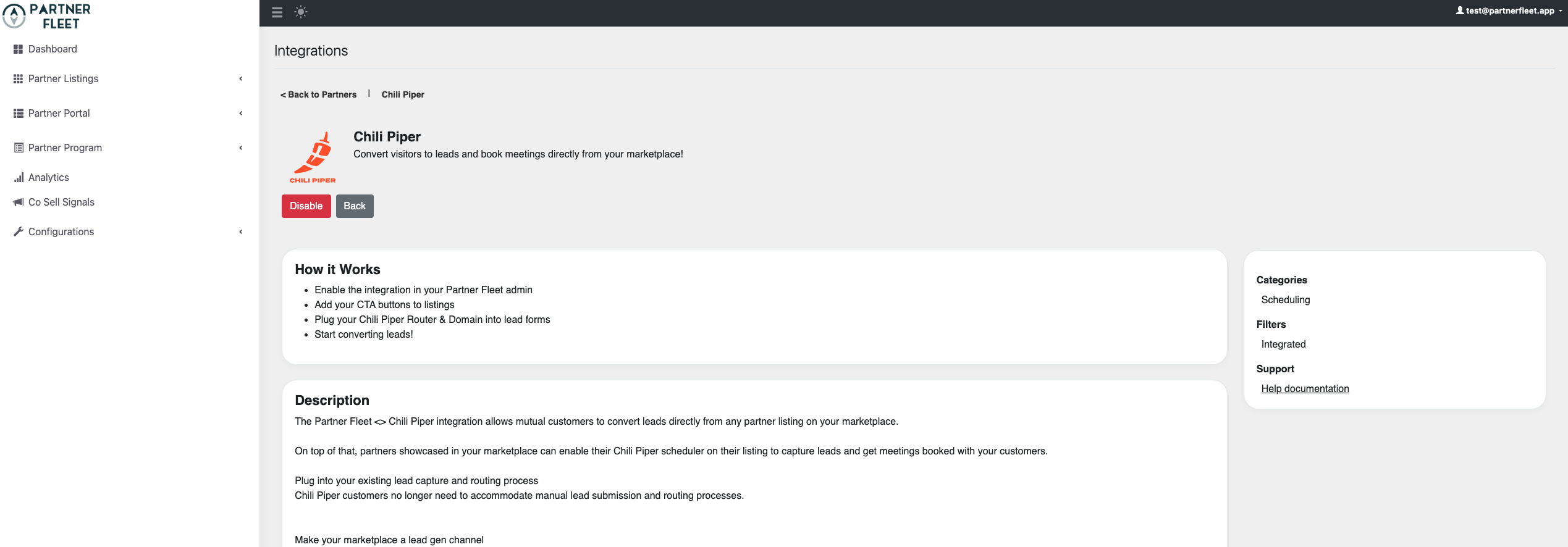
- Set up the Call to Action for each partner landing page
- Add the appropriate scheduling link
- Capture leads with Partner Fleet forms
- Upon submission, the Chili Piper scheduling interface will appear in the overlay
- Your prospect will book a meeting!
Crossbeam
Crossbeam integrates with Partner Fleet to enrich 2 powerful features: Co-Sell Signals and Smart Recommendations. Get buyer intent + partner data and offer personalized recommendations on your marketplace.
Description
This integration pulls partner overlap data from Crossbeam into your Partner Fleet marketplace for 2 key features:
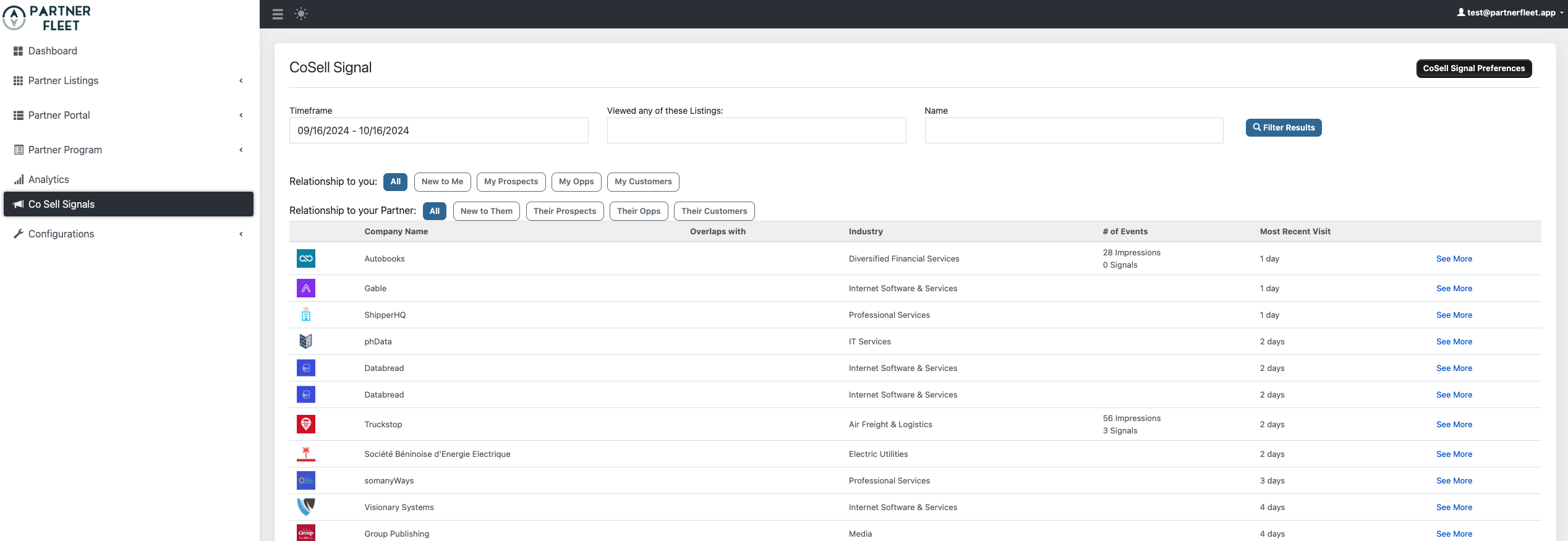
Co-Sell Signals
- Partner Fleet's buyer intent capabilities track visitors on your marketplace by IP address. These visitors are cross-referenced against your Crossbeam overlaps to identify partners who can be brought into deals. This data is accessible to you and your partners in Partner Fleet and via Slack notifications.
- You can use this real-time partner overlap data to bring context to your AEs and provide an avenue to turn partner-influenced revenue (prospects quietly shopping your marketplace) into partner-sourced revenue (a warm intro to your team from partners).
- Plus, offer reciprocity to your partners by giving them data about your customers shopping their pages and even providing warm intros to them.
See Screenshot
Smart Recommendations
- Powered by the same buyer intent + Crossbeam plumbing, you can now offer personalized partner recommendations on your marketplace based on the visitor IP.
- Imagine someone (your customer) is on your marketplace looking to add an integration. Partner Fleet can cross-reference them in Crossbeam and serve up other products they already use, or may use soon.
- Smart Recommendations takes a step towards offering the same experience on B2B marketplaces buyers have come to expect from B2C marketplaces like Amazon.
When you enable the Crossbeam integration, you level up your marketplace results and experience with both Co-Sell Signals and Smart Recommendations.
G2 Reviews
Bring your marketplace to life with social proof reviews from G2.
Description
Reviews are an essential part of the digital buying experience. Give your prospects and customers all the information and social proof they need to take the next step with your partners without ever leaving your marketplace.
How it Works
If you’re already a G2 Review Syndication customer and have an integrations package with Partner Fleet, all you need to do is:
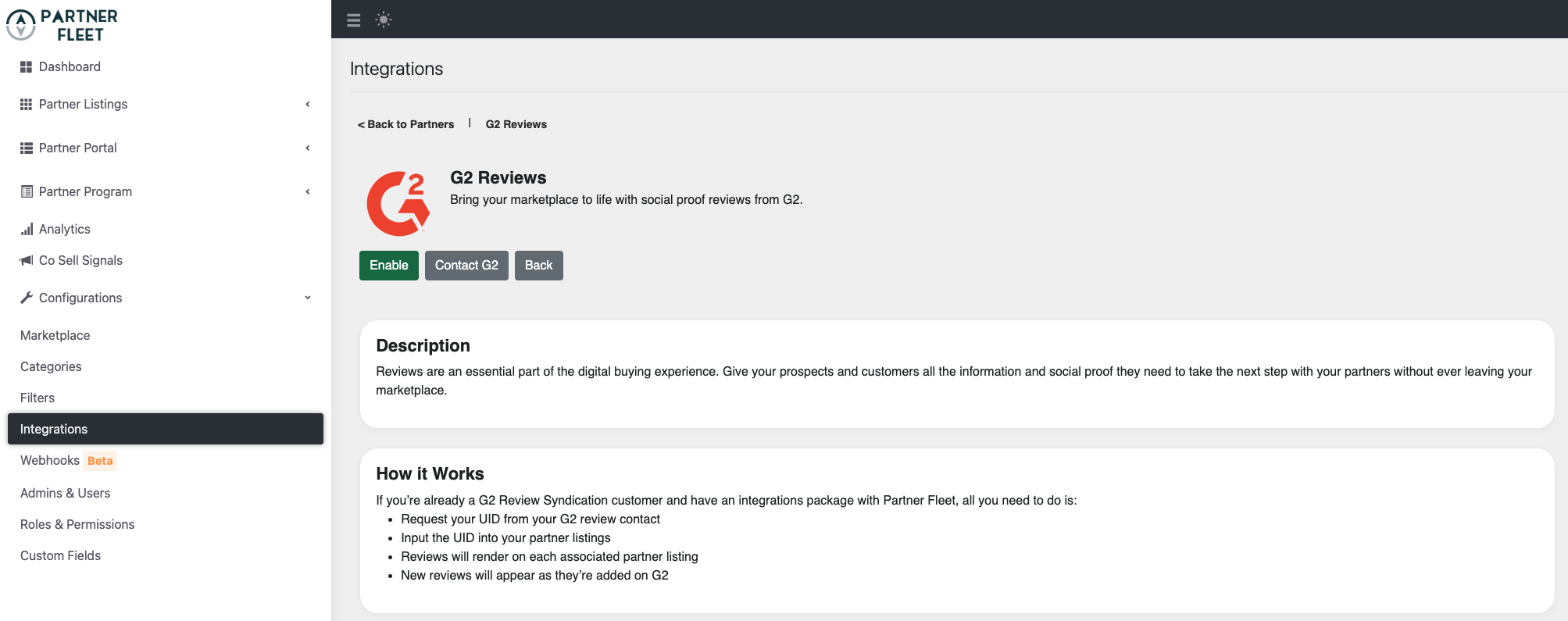
- Enable G2 Reviews in Marketplace -> Integrations.
See Screenshot
- Request your UID from your G2 review contact
- Input the UID into your partner listings
- Reviews will render on each associated partner listing
- New reviews will appear as they’re added on G2
Google Analytics
Get essential customer insights by tracking the activity from your marketplace within Google Analytics.
Description
Partner Fleet's integration with Google Analytics gives you the tools to understand your customers journey and the insight to make informed, data driven decisions.
How it Works
- Unlock customer-centric measurement.
- Get smarter insights to improve ROI.
- Connect your insights to results.
- Make your data work for you.
Google Tag Manager
Add your own JS and Tracking pixels in Partner Fleet through Google Tag Manager.
Description
Partner Fleet's integration with Google Tag Manager Manage delivers simple, reliable, easily integrated tag management solutions. Enabling you to efficiently add and update your own website tags to better understand conversions, site analytics, and more.
How it Works
- Unlock customer-centric measurement.
- Get smarter insights to improve ROI.
- Connect your insights to results.
- Make your data work for you.
Hubspot
Connect your HubSpot account to manage your partner pipeline and sync leads.
Description
The HubSpot integration for Partner Fleet powers your inbound partner acquisition process and allows you to send leads generated from your marketplace into HubSpot so your teams can take action through their normal day-to-day workflows.
How it Works
HubSpot Sales Hub customers who have the integrations package with Partner Fleet will:
- Decide which objects to create within HubSpot
- Meet with Partner Fleet team to enable object creation and map fields
- Set up all Calls-To-Action on the marketplace that will push to HubSpot
- Work your leads and partner pipeline from your CRM!
Hubspot Meetings
Empower prospects to schedule meetings with you and your partners without leaving your marketplace!
Description
With the Hubspot Meetings integration for Partner Fleet, your visitors will be able to schedule a meeting with you or your partners after they have completed a lead form on your marketplace. This allows you and your partners to utilize your current Hubspot accounts to enable the same lead capture and routing processes you already use.
How it Works
- Set up the Call to Action for each partner landing page
- Add the appropriate scheduling link
- Capture leads with Partner Fleet forms
- Upon submission, the Hubspot Meeting interface will appear in the overlay
- Your prospect will book a meeting!
Magentrix
Integrate your marketplace with Magentrix PRM.
Description
Your partners can now create, update, and manage their marketplace listing directly from your PRM with the Magentrix + Partner Fleet integration. SSO enables users to sign into Partner Fleet with their Magentrix account. For net new partners, accounts can be automatically provisioned in Partner Fleet when they are created in Magentrix.
PartnerStack
Power your ecosystem end-to-end with the PartnerStack x Partner Fleet integration.
Description
Your ecosystem tools should work together, and now they do! With PartnerStack and Partner Fleet, you can manage your entire ecosystem with ease, from channel to tech partnerships and all programs in-between.
Sync your partner accounts. Automatically create a partner account within Partner Fleet upon creation in PartnerStack, and send invite to Partner Fleet.
Generate leads for partners, attributed to you. Leads generated on your marketplace flow into your partners' PartnerStack accounts & tag you as the source.
Track lead conversions. Within Partner Fleet, see the lead status of leads submitted to your partners' PartnerStack accounts.
How it Works
For Customers of both PartnerStack and Partner Fleet
- Enable the integration in your Admin Portal.
- Sync Partners from PartnerStack to Partner Fleet based on groups
Customers of PartnerStack who are listed in a Partner Fleet marketplace
- Generate your lead form from PartnerStack.
- Submitted leads will be properly attributed to your partner.
Learn more on how to enable the integration.
PingPilot
Co-Sell in your marketplace in realtime from Slack or Teams
Description
By adding PingPilot to your Owned Marketplace(PartnerFleet of course), Earned Marketplaces (3rd party listings), and Hyperscaler Marketplaces, you create a conversational partner ecosystem that delivers the same experience no matter what "door" your customer walks into.
The integration supports most all communication channels:
- Chat
- SMS
- Voice/Phone
- Video
- Screensharing
- Scheduling (integrates with Calendly and Chilipiper)
How it Works
- Activate PingPilot integration
- Invite your partners to co-sell in your marketplace listing with you
- Add PingPilot's Slack or Teams integration
- Co-Sell in realtime right inside Slack or Teams!
Salesforce
Manage your inbound partner pipeline and capture leads with the Salesforce integration.
Description
The Salesforce integration for Partner Fleet powers your partner acquisition process and allows you to send leads generated from your marketplace into Salesforce so your teams can take action through their normal day-to-day processes.
How it Works
Salesforce customers who have the integrations package with Partner Fleet will:
- Set up Calls-To-Action and Applications
- Set up Lead Forms
- Enable object creation and map fields with Partner Fleet team
- Work your leads and partner pipeline from your CRM!
Learn more about the Salesforce integration
Slack
Get Slack notifications for Co-Sell Signals data (marketplace visitors + Crossbeam partner overlaps). Available for you and your partners.
You can also use webhooks to send new marketplace leads and form submissions to Slack.
Description
The Partner Fleet / Slack integration is part of a suite of products that brings you Co-Sell Signals — buyer intent enriched with Crossbeam data on your partner marketplace.
Slack integration for Co-Sell Signals
To get the full Co-Sell Signals suite in your Partner Fleet account, follow these instructions:
- Contact our support team to get Co-Sell Signals enabled in your account
- Log into your Partner Fleet instance to set up this Slack integration
- If you use Crossbeam, also set up that integration for more context on buyers who are in your partners' funnels
If you manage a partner listing on a Partner Fleet marketplace, you can also potentially get access to this data. Here are your steps:
- Contact the marketplace owner (company who set up the marketplace) and ask if they have Co-Sell Signals enabled
- Request access to this data in your partner account
- Log into your partner account and, under integrations, set up Slack and Crossbeam integrations
We recommend communicating with your partners and putting together a process to initiate co-sell motions with mutual prospects and opportunities! After all, partner deals close at higher rates than working in a silo.
Note: you will either need access to your Slack admin or you will have to request permission to set up this integration.
Slack integration for marketplace leads & form submissions
You can also set up Slack notifications of new leads and form submissions on your Partner Fleet marketplace using webhooks. Contact our support team to learn more.
Learn more about the Slack integration through webhooks
Storylane
Bring your partner listings to life by adding interactive demos to your profile, with the help of the most intuitive demo automation platform.
Description
As a Partner Fleet powered marketplace, enable your partners to add free interactive demos to their profiles and help them drive more conversions.
When your users actually interact with your partners’ demos (rather than just watching videos) they’ll have much more clarity of how the integrations could help them do their job effortlessly.
How it Works
- Partner Fleet customers can invite their partners to first signup on Storylane with a single click to create the interactive demo of how their integration can prove effective for your users.
- Copy the demo URL and paste it in the Partner Fleet interactive demo field to add the demo to your listing.
Walnut
Create & add interactive demos to your listings. Showcase your partnerships with an interactive demo that explains your integration better than screenshots and videos.
Description
Showcase an interactive demo of the partnership directly on your partner listings. Interactive demos create additional conversion opportunities and drive further insight for prospects and customer.
Through this partnerships you can enable your partners to create an interactive demo through Walnut for free to showcase in your Partner Fleet marketplace. Reach out to us to learn how to enable your partners to get free access to Walnut.
How it Works
For Walnut customers: create and/or add your interactive demos to Partner Fleet powered listings in a few clicks.
For Partner Fleet customers: offer your partners the option to showcase their integration with your product in an interactive, engaging way. Experience more installations as your customers truly understand the integrations and their benefits.
Updated over 1 year ago