

Customizable Sections
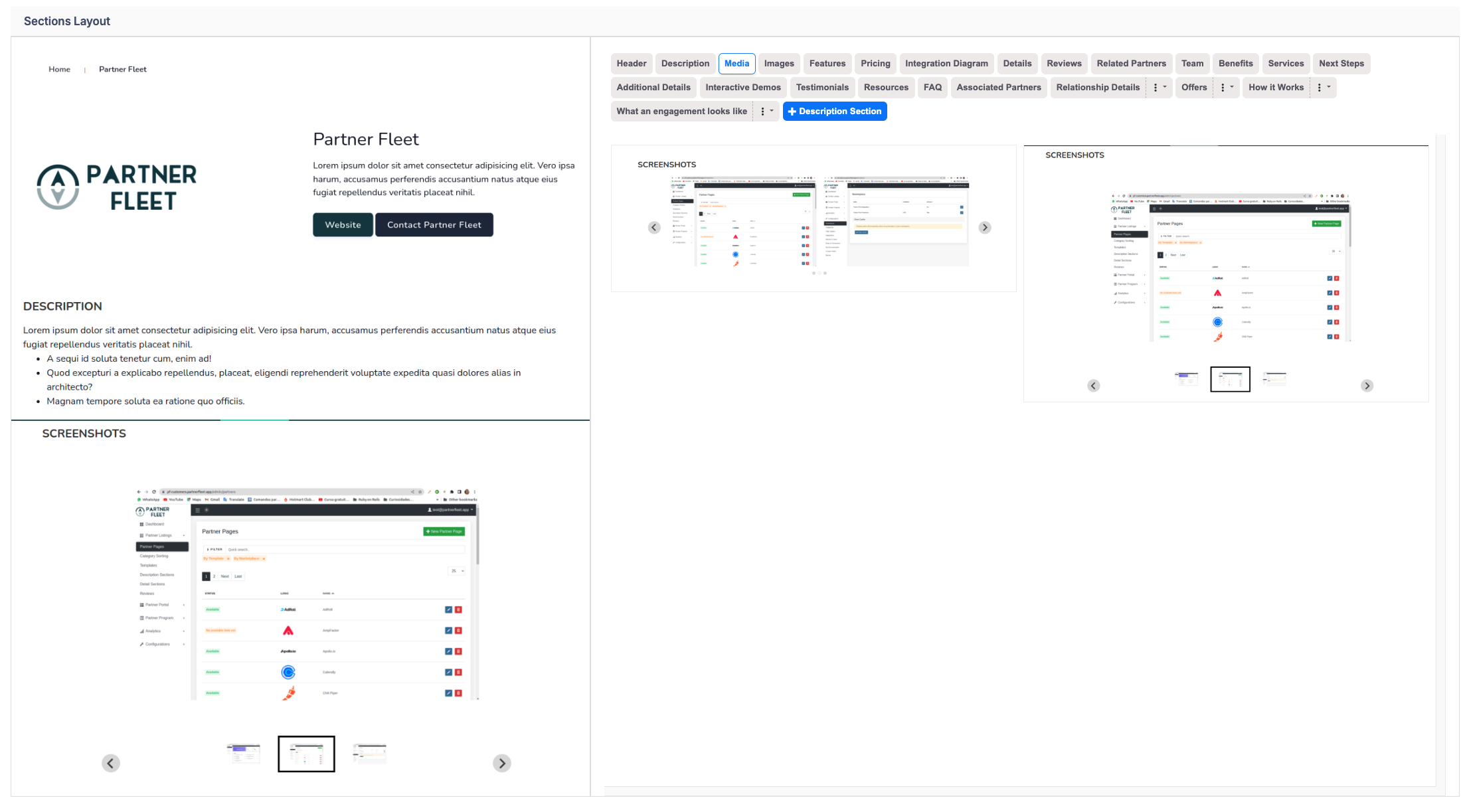
Customize the Sections and Order on your Templates
You have full control over your partner listings! Select the specific sections you want to include and arrange them in the order that best suits your needs. We offer 19 standard sections, each with multiple layout options, allowing you to create a tailored, visually appealing listing that aligns with your brand and goals.
Available Sections:
- Header – If you choose the Single Column layout, you’ll have five different header options within that layout.
- Description – Displays the partner’s description text.
- Media/Screenshots – Add videos or images to your listing. We support PNG and JPEG formats for images. For videos, we support Vimeo, Wistia, Vidyard, YouTube, and Brightcove.
- Images – Unlike screenshots, images do not enable scrolling. They are meant to serve as highlight visuals displayed in full width.
- Features – Choose from three layout options: text only, text with a bordered design, or text with images.
- Pricing – Allows partners to showcase their pricing, including custom pricing related to your partnership.
- Permissions – Designed for integration partners to display data transfers between your platform and theirs.
- Details – If a sidebar is not used, these details can be presented in different formats.
- Reviews – Reviews are optional, but if included, you can choose between two layout options.
- Related Partners – Automatically displays other partners that share similar taxonomies and filters.
- Team – Enables partners to showcase their team members.
- Benefits – Choose from three layout styles: open text, text with a border, or text with images.
- Services – Available in three formats: text only, text with a border, or text with images.
- Next Steps – Offers three layout options: text only, text with a border, or text with images.
- Additional Details – If no sidebar is selected, these details can be displayed in multiple formats.
- Testimonials – Allows partners to highlight testimonials and social proof for their product and relationship with you.
- Resources – Enables you or partners to add links to case studies and other valuable content for customers and prospects. This is the only template section that supports uploading downloadable resources.
- FAQ – Displays frequently asked questions and answers.
- Associated Partners – Lets you manually select and display related partners. Common use cases include featuring agency partners that support a specific integration or linking multiple listings from the same vendor.
Static Sections
You can also add a Static Section to a template: a description section you write once that shows the same content on every listing that uses the template, such as a support policy. Partners can't edit it. See Static Sections.
With these customizable sections, you can craft a partner listing that is both engaging and informative. Tailor your content to highlight the most relevant details and create a seamless experience for your audience.
Updated 19 days ago