

Partner Fleet + Slack Integration via Webhooks - Setup
Partner Fleet Leads Webhook Tutorial
- First access this link: https://api.slack.com/apps
- Click on "Create New App"

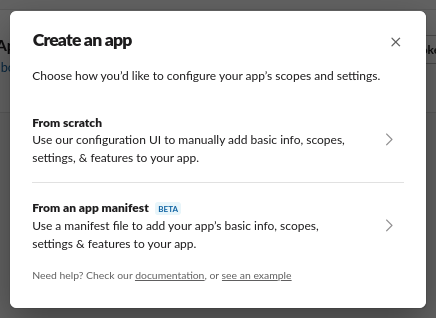
- On the popup, click on "From Scratch"
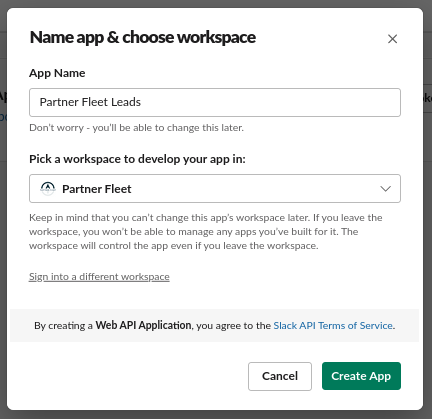
- On the next popup section, add the Name of your app and select your company Workspace then click on "Create App"
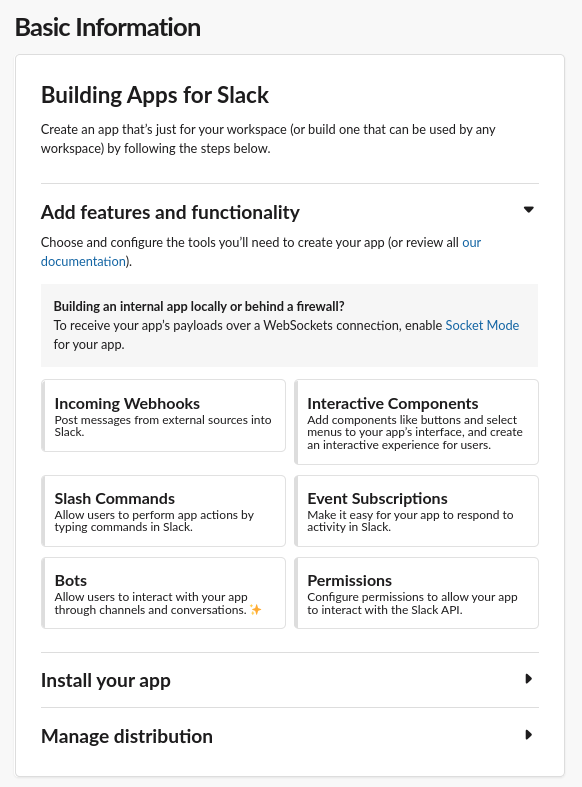
- On the "Basic Information" section, click on "Incoming Webhooks"
- On the "Incoming Webhooks" page, toggle the On/Off button to "On"
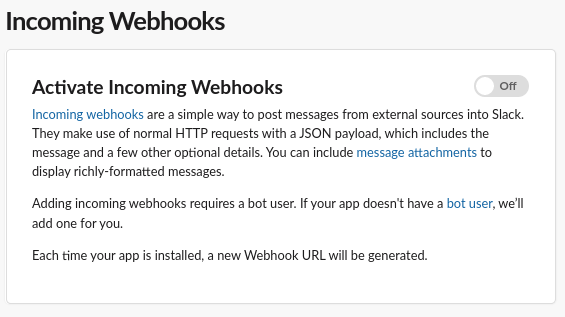
- When the button is "On" , another tab will open:
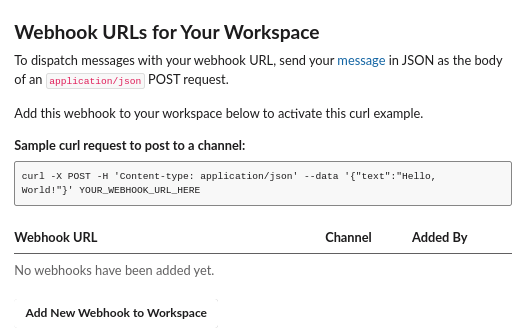
- Click on "Add New Webhook to Workspace" button.
- It will open another page:
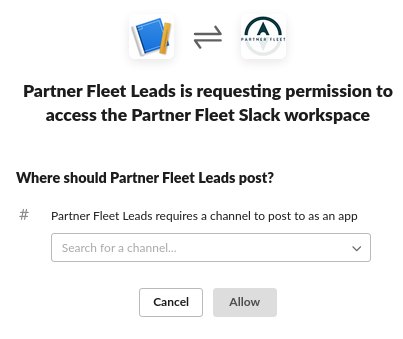
- Click on the select "Search for a channel…" and select the channel you want receive the notifications.

- Click "Allow".

- After clicking "Allow" you are back on the "Incoming Webhooks" page, now you will see you have one Webhook ready and pointing to the channel you chose- Click on the button "Copy" to copy the url.

- With the Webhook URL copied, we are going to access our Partner Listing edit page.
- Access Partner Fleet
- Click on 'Partner Listings" on the sidebar

- Click on "Edit" Partner (if you have approval flow setup, you need to click again on "Edit", to edit the Draft version, if you don't have the Draft version, click the button "Create New Version")
If you are an admin, just click "Edit" on the active version.

- On the edit page, you need to click on "Lead Form" on the right sidebar

- On the Lead Form edit page, you will some configurations for webhooks:
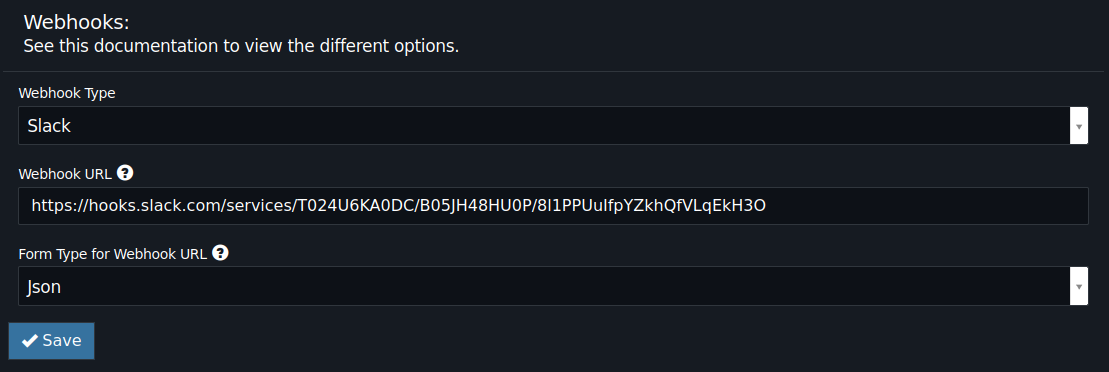
- Make sure the Webhook Type is Slack, paste the Webhook URL you copied on step 12. and select Json as the Form Type for Webhook URL.
- Hit save!
- Now your Partner Fleet + Slack webhook integration is ready!
- If you want to enhance this integration, you can go back to your Slack App page, and click on the "Basic Information" button, on Settings
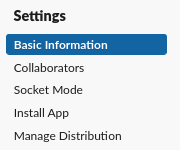
- Now scroll to the end of the page, where you will see the Display Information section:
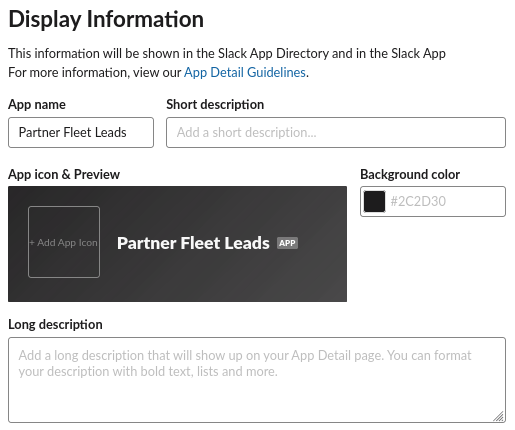
- Feel free to add a Short Description, change the Background color to the Partner Fleet color (#133c46) or your company's main color!
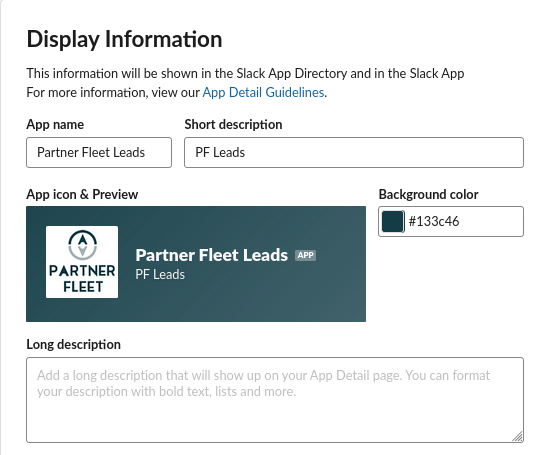
- Also you can add our logo (or your company logo), here is ours!

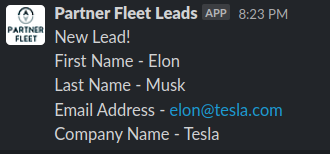
- Now when someone submits a lead on your partner listing, you will receive a Slack notification like this:
- Hope you enjoy this integration! ;)