

Direct Invite from Listing Page
Use Case for a Listing Page partner invite
The most direct way to invite a new partner is from a listing in the Marketplace.
How to invite a partner directly from a listing.
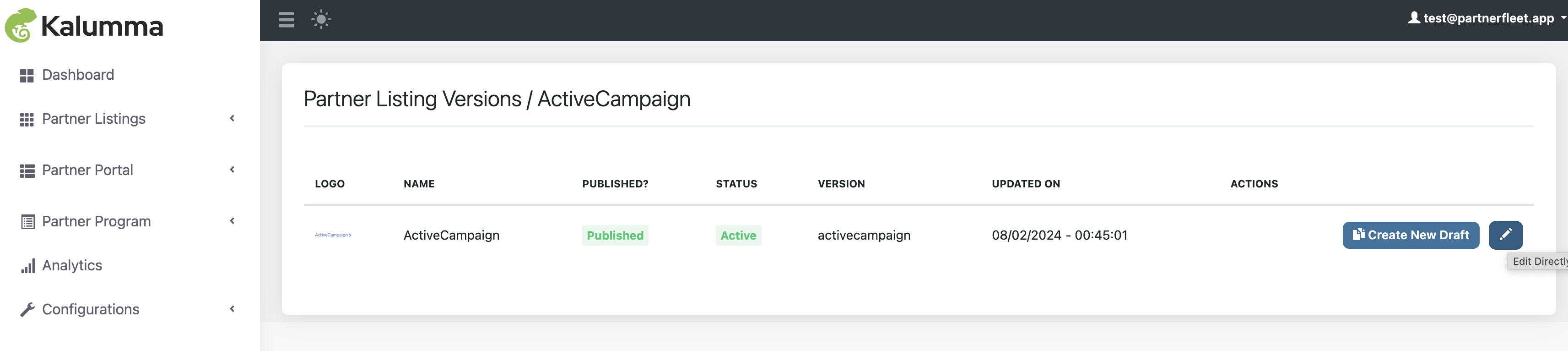
Listings are in Partner Listings -> Partner Listings
Click on the "Edit" button of the listing that you want to invite your partner to manage.
If you need to create a new listing please refer to how to create a listing
See Screenshot
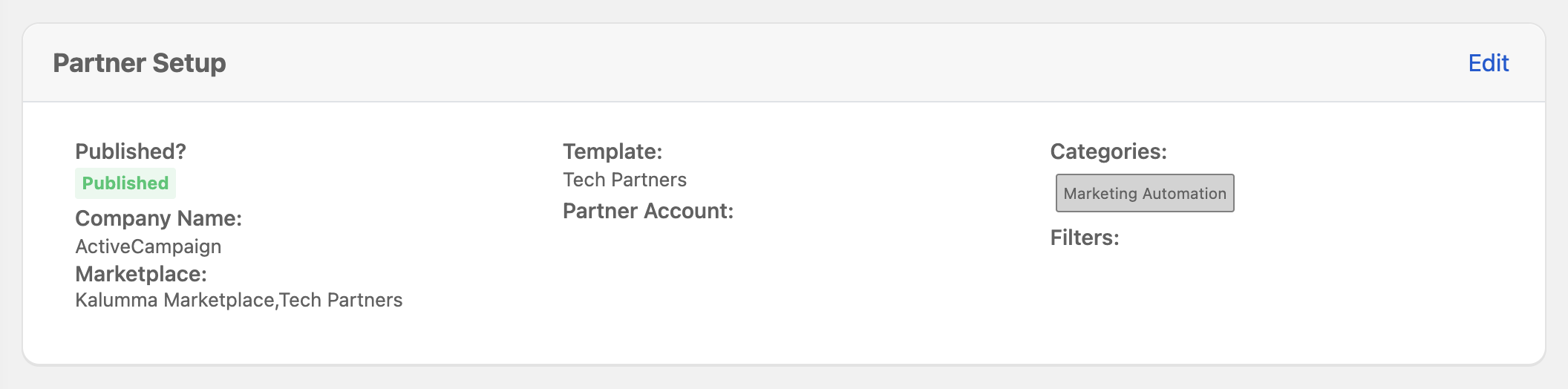
Then click on "Edit" in the Partner Setup section.
See Screenshot
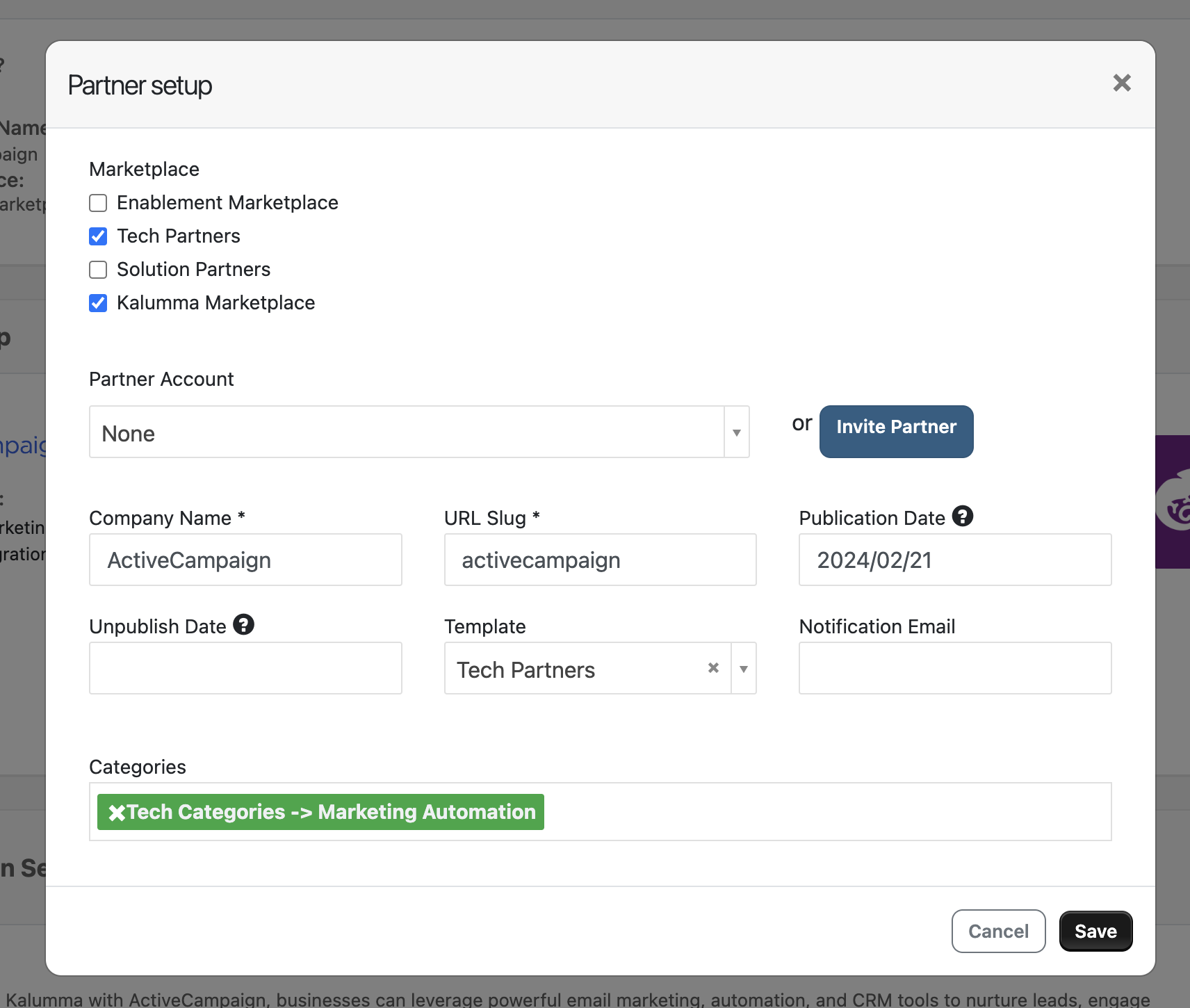
Click on "Invite Partner"
See Screenshot
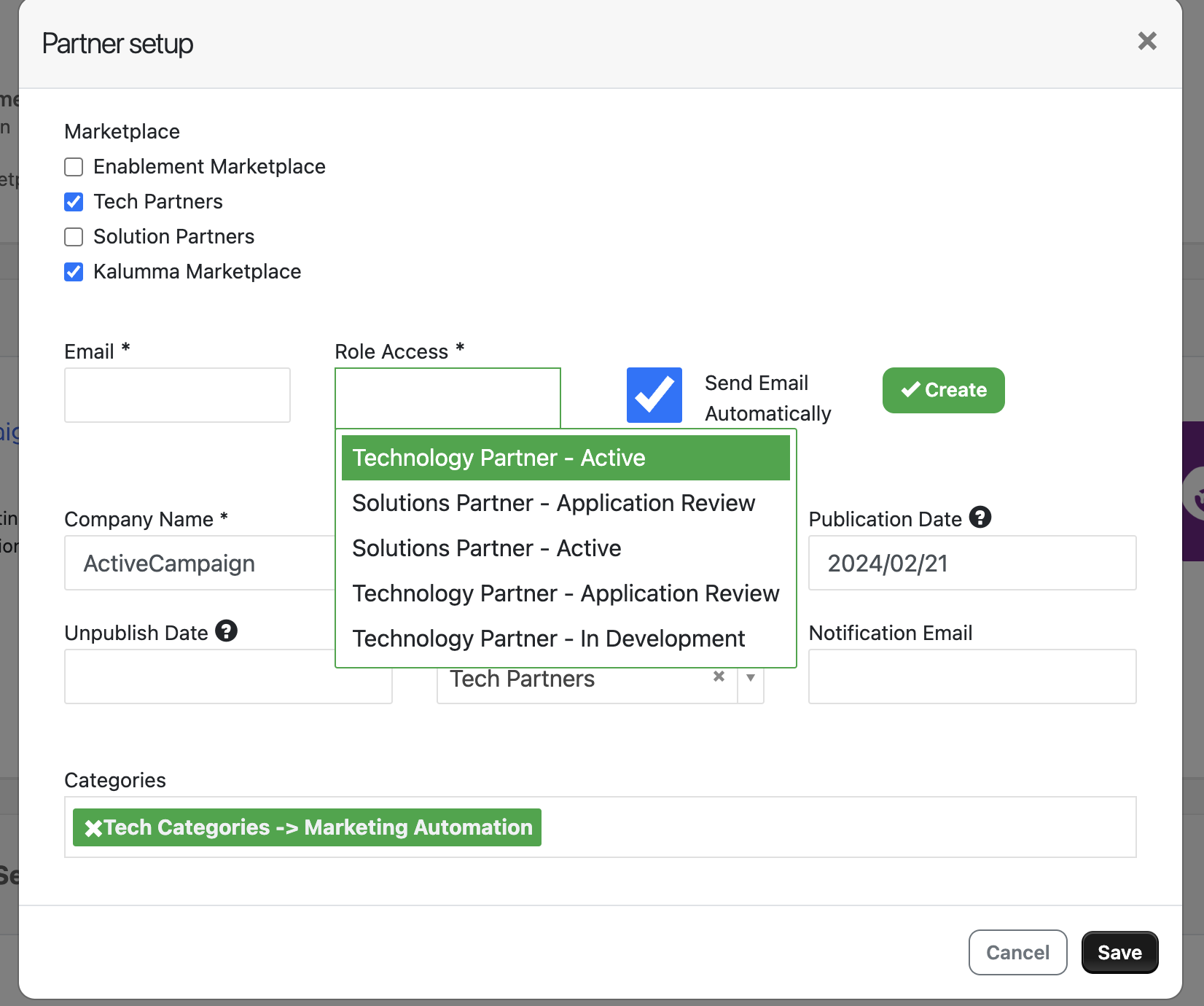
Enter the email address of the partner you would like to update and manage this listing, then select the appropriate role. Then click on the "Create" button to automatically send an email invite.
See Screenshot
Your partner will then receive an email invitation to your Marketplace. Once they have successfully created a user account, they will be logged in and prompted to update and manage the listing.
Updated over 1 year ago