

Lead Capture Forms
Capturing leads is one of the most important functions of your marketplace. It turns marketplace visitors into real opportunities, whether those leads should flow to your partners, to you as the marketplace owner, or into your deal registration pipeline. Partner Fleet provides three different types of lead forms—each designed for a different use case, but all with the same flexible configuration options.
Type of Lead Forms
| Lead Form Type | Who Owns It | Where to Configure | Typical Use Case | Key Features |
|---|---|---|---|---|
| Partner Listing Lead Form | Partner | Partner Listing -> Lead Form | Route marketplace leads directly to the listed partner | Notification email, scheduling link (Calendly/Hubspot), webhook to partner CRM, additional customer fields |
| Template Lead Form | Marketplace Owner | Settings -> Templates -> Lead Form | Collect leads that should go directly to the marketplace owner | Sames features as Partner Listing form; updates cascade to all listings associate with that template |
| Deal Registration Lead Form | Marketplace Owner (submitted by Partners) | Users -> Roles & Permissions-> Lead Form | Partners logged in to submit leads to the marketplace owner | Same configuration as above, but accessible only to logged-in partners |
Partner Listing Lead Form
The Partner Listing Lead Form is owned by the partner who is listed on your marketplace. Leads captured through this form are routed directly to that partner.
Key Features
- Notification email (partner receives leads instantly)
- Scheduling link (Calendly or HubSpot)
- Webhook integration (route leads into the partner’s CRM)
- Additional fields (custom questions or data points)
⚠️ Marketplace admins retain full control over what partners can configure or update.
How to Configure
- Navigate to the Partner Listing in your marketplace admin dashboard.
- Select Edit Listing.
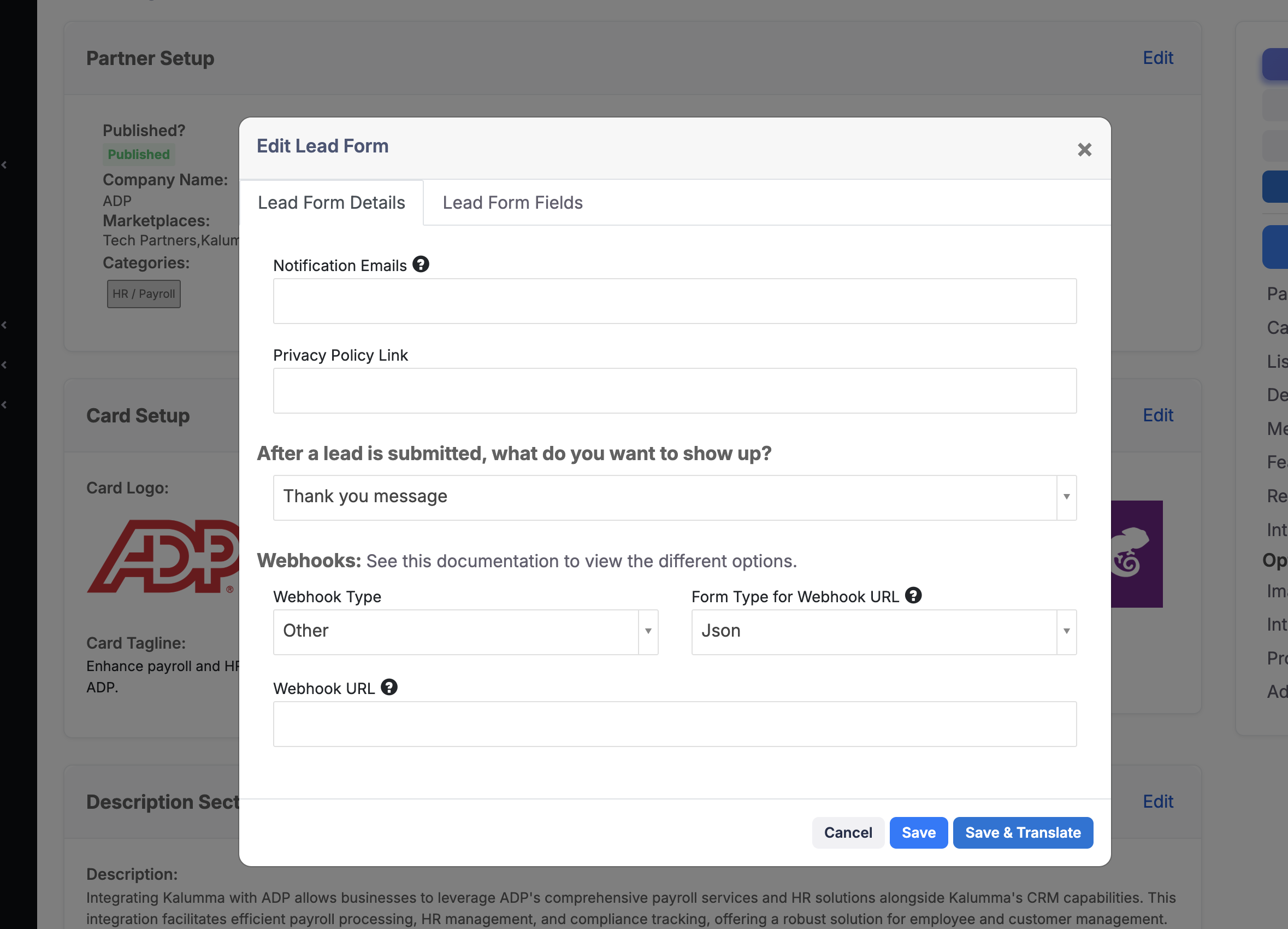
- Scroll down to edit the Lead Form, it located in the Listing Setup section.
- Add or edit:
- Notification email
- Scheduling link (Calendly / HubSpot)
- Webhook URL (to send leads to CRM)
- Additional fields (checkboxes, dropdowns, text fields, etc.)
- Click Save Changes.
Template Lead Form
The Template Lead Form is for marketplace owners who want leads routed directly to their own team. Any listings associated with a given template will automatically inherit the template’s lead form.
Key Features
- Identical configuration options to the Partner Listing form
- One-to-many impact: changes cascade to all listings using that template
How to Configure
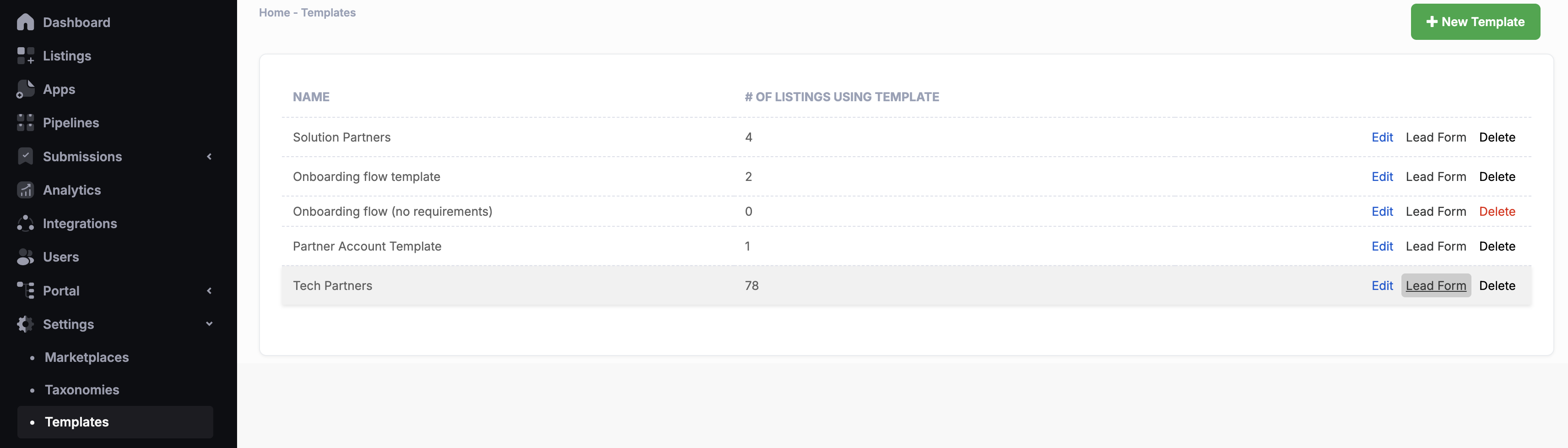
- In the admin dashboard, go to Settings.
- Click on Templates.
- Select the template you want to edit.
- Click Lead Form.
- Add or edit:
- Notification email
- Scheduling link (Calendly / HubSpot)
- Webhook URL
- Additional fields
- Click Save Changes.
Deal Registration Lead Form
The Deal Registration Lead Form is designed for partners who are logged in to submit opportunities directly to the marketplace owner. This ensures deal visibility and attribution across the partner ecosystem.
Key Features
- Secure: only accessible to logged-in partners
- Same configuration options as other lead forms
- Ideal for tracking and validating partner-sourced deals
How to Configure
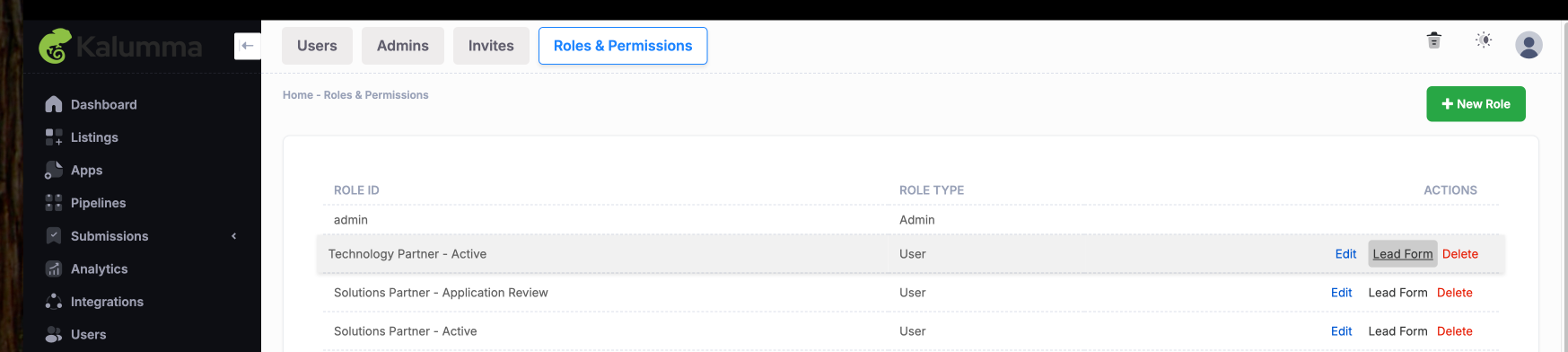
- In the admin dashboard, navigate to Users.
- Select Roles & Permissions.
- Locate the Lead Form section.
- Configure:
- Notification email (marketplace owner’s team)
- Webhook URL (route deal reg into CRM)
- Additional fields (deal size, customer details, partner rep info, etc.)
- Save your updates.
Summary
All three forms share the same configuration options and layout, but their placement and ownership determine their use case:
- Partner Listing Lead Form → For partners to capture and own leads from their listing.
- Template Lead Form → For marketplace owners to capture leads from listings they control.
- Deal Registration Lead Form → For logged-in partners to securely register leads directly with the marketplace owner.
Updated about 1 year ago